



The Ultimate Guide to WhatsApp Abandoned Cart Recovery
Learn how WhatsApp abandoned cart recovery works, including opt-in, timing, compliant templates, e-commerce integrations and BotLinkd automation workflows.
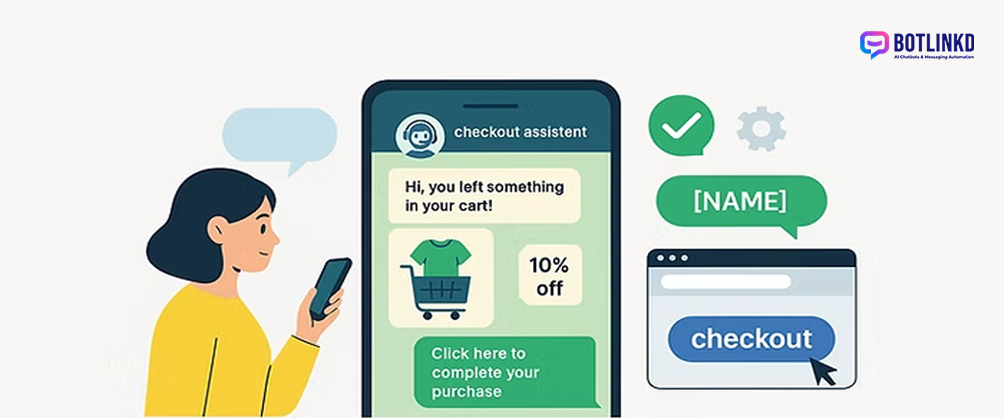
Summary: WhatsApp abandoned cart recovery can help e-commerce teams re-engage shoppers who showed purchase intent but did not complete checkout. The flow must be consent-based, relevant and respectful of WhatsApp marketing rules.
What is WhatsApp abandoned cart recovery?
Abandoned cart recovery is a follow-up workflow that reminds a shopper about items left in the cart. On WhatsApp, this should be treated as a marketing or re-engagement journey unless the message is purely transactional and already permitted by the customer relationship. Businesses should collect clear WhatsApp opt-in before sending promotional cart reminders.
A practical 3-message recovery sequence
The best recovery sequences do not feel like pressure. They answer a customer need, reduce friction and give the shopper a simple path back to checkout.
Message 1: helpful reminder
Suggested timing: after the cart is abandoned and when your consent rules allow it.
Keep this message short: mention the store, the cart and the checkout link. Avoid aggressive sales language.
Message 2: product value
Suggested timing: later in the journey, only if the customer has not purchased.
Explain a relevant benefit, answer a common objection or offer help from a support agent.
Message 3: final nudge
Suggested timing: final reminder before stopping the sequence.
Use a limited offer only when it is real, compliant and available to that customer segment.
Example compliant message copy
Hi {{1}}, you left items in your cart at {{2}}. You can complete checkout here: {{3}}. Reply STOP if you do not want cart reminders.
This type of copy is clear because it identifies the brand, explains why the customer is receiving the message, includes the next step and gives an opt-out route.
What BotLinkd can automate
- Trigger cart reminders from supported e-commerce integrations.
- Send Meta-approved WhatsApp templates outside the customer service window.
- Pause the sequence when the customer replies, purchases or opts out.
- Route replies to a shared team inbox for human support.
- Track delivery status and campaign performance inside the platform.
Segmentation improves relevance
Do not send the same recovery message to every shopper. Segment messages by cart value, product category, customer history and language where the data is reliable. A first-time visitor may need reassurance, while a returning customer may need only a checkout link.
Mistakes to avoid
- Sending cart reminders without WhatsApp opt-in.
- Using promotional wording in the wrong template category.
- Continuing to message after the customer opts out.
- Sending too many reminders in a short period.
- Forgetting to stop the sequence after purchase.
Compliance note: WhatsApp marketing messages require customer consent and must follow Meta policy, template rules and opt-out handling. Keep your flow useful, transparent and easy to stop.
Recover carts without losing trust
BotLinkd helps businesses combine WhatsApp templates, e-commerce events, automation rules and human handover so abandoned cart recovery stays customer-friendly.