



Fee reminders and receipts
Send configured fee-due reminders, payment confirmations and supported receipt or payment-link messages to authorised contacts.
BotLinkd integration for school communication
Connect a compatible Smart School installation with BotLinkd to send configured WhatsApp fee reminders, attendance alerts, exam updates, notices, documents and authorised parent-support messages through the WhatsApp Business Platform Cloud API.
School-to-parent messaging
BotLinkd extends supported Smart School events with WhatsApp automation and team inbox capabilities. Schools can configure notifications for operational updates while keeping sensitive student information behind parent or guardian verification and human escalation rules.
Core communication capabilities
Select the events, approved templates, variables and recipients appropriate for your school’s operational and privacy requirements.
Send configured fee-due reminders, payment confirmations and supported receipt or payment-link messages to authorised contacts.
Notify parents or guardians about supported present, absent or attendance-summary events recorded in Smart School.
Share configured exam schedules, timetable notices, result availability and related academic reminders.
Send supported PDFs, images, fee documents, assignments, notices and other approved media through BotLinkd workflows.
Deliver approved notices, holiday updates, event reminders and selected class communications to opted-in recipients.
Use configured AI assistance for general questions, with human handover and authorised data controls for student-specific enquiries.
Supported workflow categories
Keep finance, academics, parent support and operational alerts separated so each workflow has appropriate templates and access controls.
Controlled installation workflow
Back up the Smart School installation and test on staging before enabling any production message or student-data workflow.
Create or sign in to BotLinkd and connect an eligible WhatsApp Business Platform number.
Download the Smart School plugin and install it only on a supported, backed-up staging environment first.
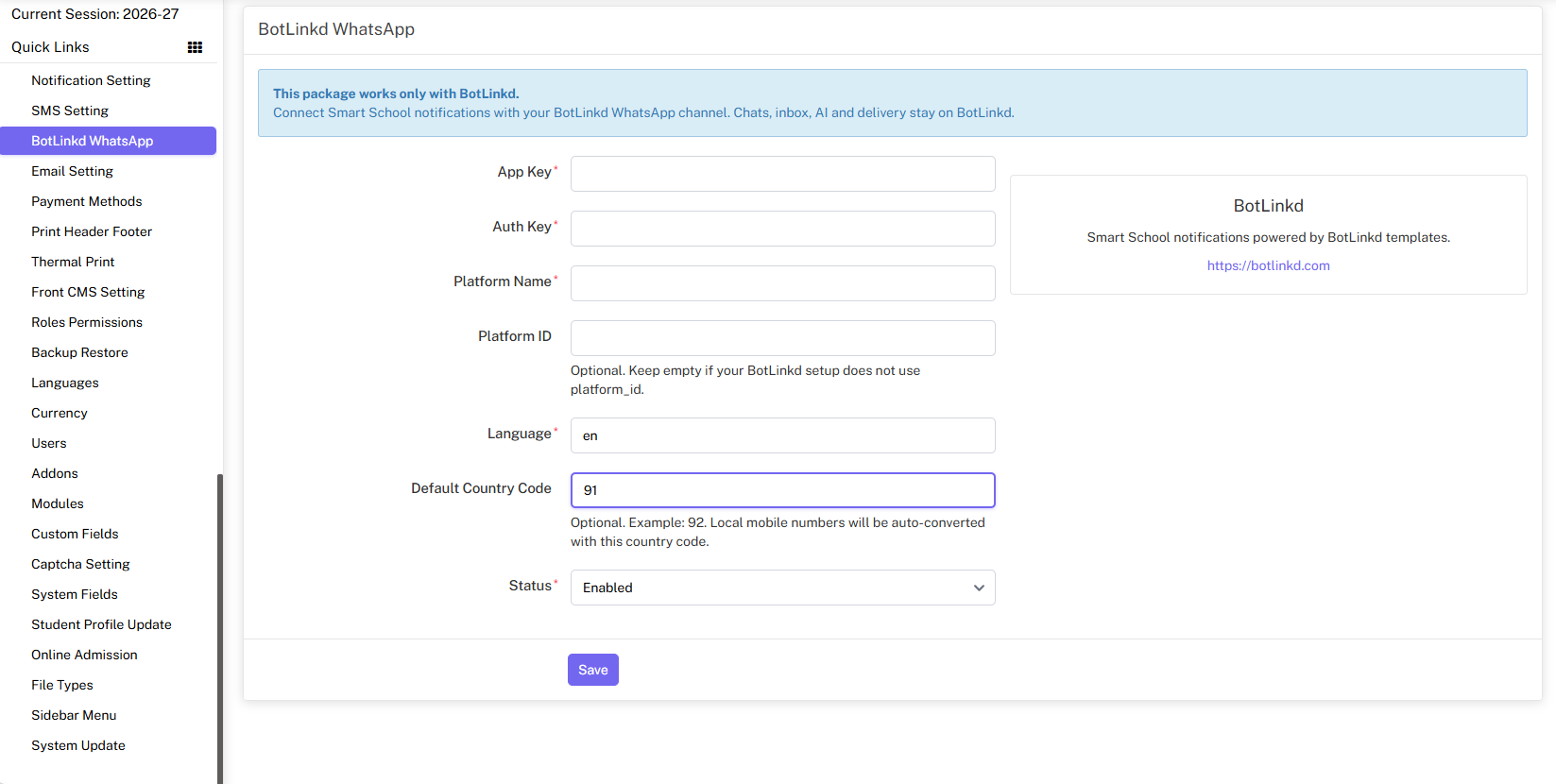
Add the required credentials, select notification events and restrict student-specific data to authorised contacts.
Assign approved templates, verify variables and run controlled tests before enabling production messages.
Smart School and plugin releases can change independently. Confirm the supported version, back up the installation, review user permissions and test all configured events before enabling production communication.
Optional Android access
Authorised users with an active BotLinkd account can use BotLinkd Chat to access supported parent conversations and reply from a compatible Android device.
Integration questions
Important details about supported workflows, student data, documents, AI assistance and product ownership.
The plugin can be configured around supported school events such as fees, attendance, examinations, homework, notices, library, transport, hostel and other administrative communication. Available events depend on the installed Smart School and plugin versions.
Supported BotLinkd workflows can send approved document or media messages such as PDFs and images. The source file, template type and recipient authorisation must be configured correctly.
Schools should match the incoming WhatsApp number with an authorised parent or guardian record before returning student-specific information. General enquiries can be handled separately, and sensitive requests should be handed to authorised staff when needed.
BotLinkd can provide AI-assisted responses when the feature is enabled and configured. Schools should define approved knowledge sources, access controls and human handover rules before using AI for parent or student communication.
Authorised users with an active BotLinkd account can use the BotLinkd Chat Android app for supported customer or parent conversations from a compatible Android device.
No. Smart School is a separate school management system associated with QDOCS. BotLinkd provides the WhatsApp messaging and automation integration described on this page.
Connect your school communication
Create your BotLinkd account, download the plugin and test every notification and parent-data workflow before enabling production use.
Smart School is a separate school management product associated with QDOCS. BotLinkd provides the independent WhatsApp messaging and automation integration described on this page. Product names are used only to identify compatibility.