



WhatsApp Business API: Complete Guide for Automation, CRM Integration & Marketing
A complete guide to WhatsApp Business API and Cloud API workflows for automation, CRM integration, campaigns, templates, support and BotLinkd onboarding.
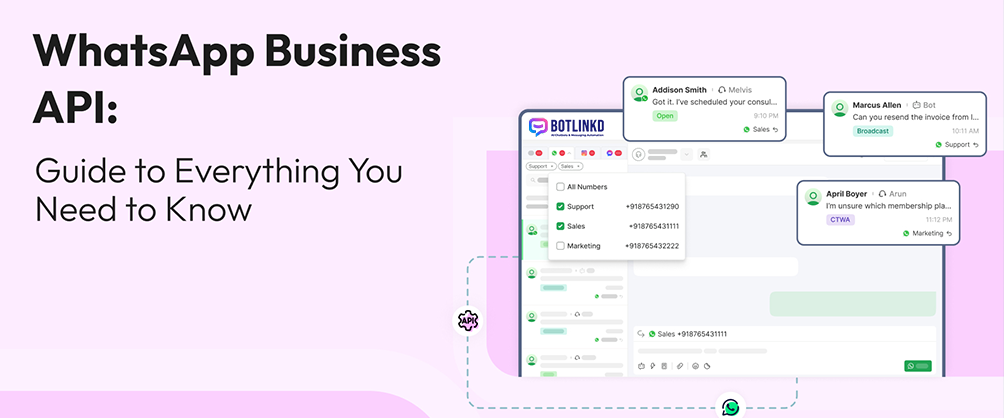
Summary: The WhatsApp Business Platform, often called WhatsApp Business API, helps growing businesses manage customer conversations, templates, automation, campaigns and integrations at scale. BotLinkd provides a dashboard and tools built on the official WhatsApp Business Platform Cloud API.
What is the WhatsApp Business API?
The WhatsApp Business API is not a normal mobile app. It is an API-based platform for businesses that need team access, automation, CRM workflows, templates, analytics and integrations. Businesses usually use a platform such as BotLinkd to manage the API through a practical dashboard.
WhatsApp Business App vs WhatsApp Business Platform
| Area | WhatsApp Business App | WhatsApp Business Platform via BotLinkd |
|---|---|---|
| Best for | Small teams with simple manual conversations. | Growing teams that need shared inbox, automation and integrations. |
| Team access | Limited app/device-based workflow. | Multi-agent shared inbox and role-based operations. |
| Automation | Basic greeting, away messages and quick replies. | Templates, auto-replies, AI-assisted workflows, webhooks and APIs. |
| Campaigns | Manual and limited. | Broadcast campaigns for opted-in contacts with tracking. |
| Integrations | Limited native business system integration. | CRM, e-commerce, API and webhook-based integration paths. |
Core components of a WhatsApp API setup
- Meta Business account: the business identity used to manage business assets and WhatsApp access.
- WhatsApp Business Account: the container that connects phone numbers and messaging assets.
- Phone number: the number customers will message on WhatsApp.
- Message templates: approved formats for outbound business-initiated messages when templates are required.
- Business messaging platform: BotLinkd provides the inbox, automation, analytics, contacts, templates, API keys and integrations.
What businesses can manage in BotLinkd
- Two-way customer chat and shared team inbox.
- AI chatbot with conversation memory and human handover.
- Per-contact AI pause and platform-wide AI pause.
- Message templates, broadcast campaigns and scheduled messaging.
- Contact management, delivery tracking, analytics and reporting.
- API keys, webhooks, CRM and e-commerce integrations.
- PDF, audio, voice note, image and video support.
CRM and e-commerce integration use cases
CRM lead capture
Send WhatsApp leads into your CRM, assign ownership and trigger follow-up workflows.
E-commerce updates
Send order confirmations, shipping updates, delivery notifications and support replies from store events.
Support ticketing
Create or update support tickets when a customer reports an issue through WhatsApp.
Developer automation
Use APIs and webhooks to connect WhatsApp messaging to custom business systems.
Pricing and policy awareness
WhatsApp Business Platform pricing and template rules can change by country, message type and Meta policy updates. Businesses should review current Meta pricing and BotLinkd plan details before going live. BotLinkd is independent and is not owned or operated by Meta.
Important: Outside the active customer service window, businesses generally need approved templates for outbound WhatsApp messages. Keep your customer consent, template category and opt-out handling aligned with Meta policy.
Use WhatsApp API without building everything from scratch
BotLinkd provides official WhatsApp Cloud API access, onboarding support, automation tools, AI workflows, analytics and integration options for growing businesses.
Explore official WhatsApp Cloud API or view BotLinkd pricing.