



WhatsApp AI Auto Reply Bot for Order Tracking
Use a WhatsApp AI auto-reply bot for order tracking with BotLinkd, e-commerce integrations, customer self-service, handover and official Cloud API messaging.
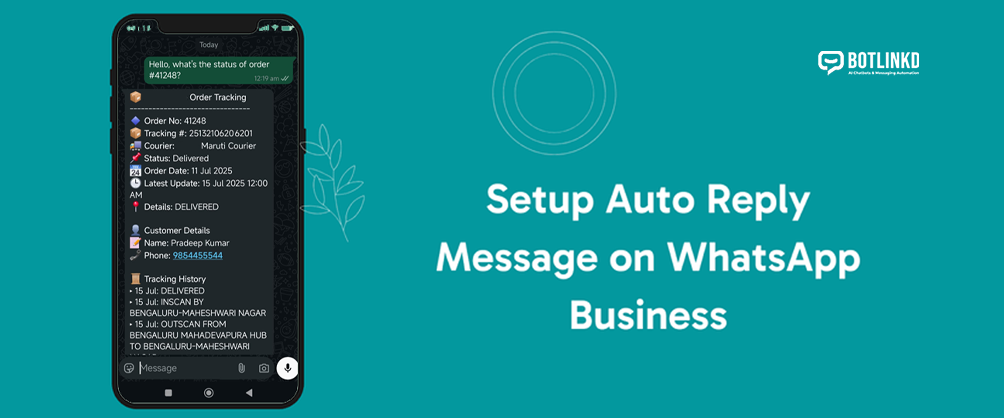
Summary: Order tracking is one of the most common e-commerce support questions. A WhatsApp AI auto-reply bot can collect the order number, check connected order data and reply with status while escalating exceptions to support.
Why order tracking belongs on WhatsApp
Customers often want quick answers after purchase. WhatsApp is a convenient channel for status updates because the customer can ask naturally, receive tracking information and continue the same conversation if there is a problem.
What the bot should know
- Order number or phone number used at checkout.
- Current fulfilment status from the e-commerce system.
- Courier and tracking link where available.
- Delivery exception rules, such as failed delivery or return-to-origin.
- Escalation path for refunds, damaged items or wrong delivery.
Example conversation
Customer: Hi, where is order #1048?
Bot: I found order #1048. Current status: shipped. Courier: Express Logistics. Tracking link: {{tracking_link}}. If the tracking page does not update within 24 hours, reply “agent” and our team will check it.
BotLinkd order tracking workflow
- Receive the message in BotLinkd. The customer asks about order status on WhatsApp.
- Detect order tracking intent. AI or automation identifies the request and checks if an order number is present.
- Request missing details. If needed, the bot asks for order ID, phone number or email according to your support policy.
- Fetch order status. A connected integration, webhook or API retrieves the latest available status.
- Reply or hand over. Routine status gets an instant reply; complaints or exceptions move to a human agent.
Integration options
Shopify
Use order events and status data to trigger notifications or answer order tracking questions.
WooCommerce
Connect store order data with WhatsApp notifications and support workflows.
Magento / OpenCart
Use platform-specific integrations where supported by your store setup.
Custom systems
Use BotLinkd APIs and webhooks to connect a custom order management system.
When to hand over to support
- The customer says the product is damaged, missing or wrong.
- The order is marked delivered but the customer did not receive it.
- The tracking number is invalid or not updating.
- The customer asks for cancellation, return or refund.
- The bot cannot confidently match the order.
Give customers faster order answers
BotLinkd helps e-commerce teams connect WhatsApp order notifications, AI replies, shared inbox support and integration workflows.