
WhatsApp Business API: Complete Guide for Automation, CRM Integration & Marketing
At BotLinkd, we help you unlock the full potential of the WhatsApp Business API. Automate chats with AI, schedule personalized messages, manage real-time order updates, and streamline customer support using your existing WhatsApp number all in full compliance with Meta's policies.
Written by: BotLinkd Team | 🕒 10 min read
Discover WhatsApp Business API as a powerful tool built for medium to large businesses to scale customer communication with automation and chatbots. Unlike the free WhatsApp Business App, the API offers advanced features like CRM integration, message templates, and interactive media support. Businesses benefit from improved efficiency through automated messages and integration with e-commerce tools. A complete WhatsApp Business API Account includes a branded profile, messaging tools, and analytics to build better customer relationships.
Even today, best-in-class sales teams in Pakistan, India, and across global markets lose focus while dealing with bulk messaging. It's not their efforts, but the system that's siloed, and leads that consistently grow in volume.
Yes, WhatsApp is your popular messaging app, but if you are still struggling with the normal WhatsApp account, you are lagging behind, and it's time to move to WhatsApp API.
Most brands adopt WhatsApp Business for customer communication. What falters is that WhatsApp Business doesn't provide advanced features that'll help brands convert. And here is where WhatsApp Business API solutions come in. It's your go-to WhatsApp business platform for AI-powered chatbots, bulk notifications, support tools, and marketing messages.
Switching to a WhatsApp Business API tool like BotLinkd provides advanced features to automate sales conversations, save time, and increase productivity to scale revenue.
In this guide, we'll break down the ins and outs of WhatsApp Business API, how to get it in Pakistan and India, and how to integrate it with your existing CRM to strategize customer communication in a better way.
WhatsApp Business API is an advanced version of WhatsApp Business App that manages broadcast, automates repetitive tasks, and tracks sales performance. It can be integrated with CRMs, helpdesks, or custom dashboard software to retrieve contact details, assist consumers faster, and improve team productivity.
With a WhatsApp Business API account, you can:
- Schedule WhatsApp messages
- Organize incoming messages
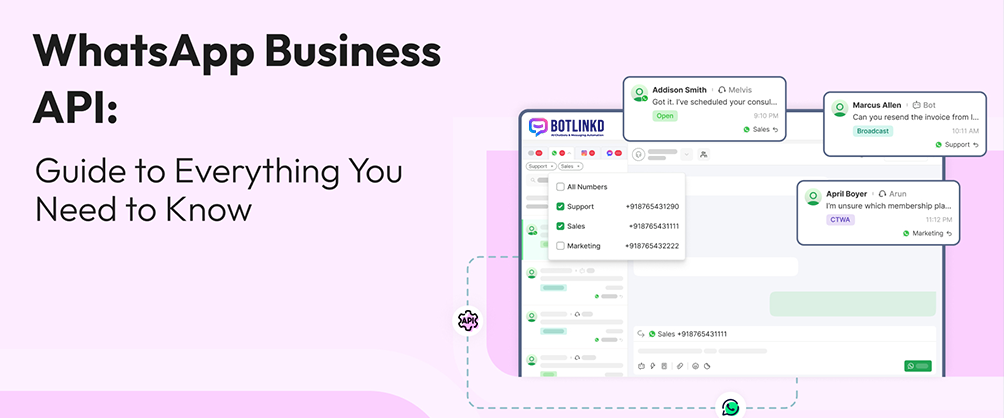
- Access a shared team inbox
- Manage delivery status and read receipts
- Engage with customers using Meta-approved templates
- Enhance visibility of team progress
- Analyze ROI from WhatsApp campaign results
- Build engaging WhatsApp campaigns smoothly
- Attract new audiences and retain existing customers
| Feature | WhatsApp Business | WhatsApp Business API |
|---|---|---|
| Hosting and setup | Runs on a single smartphone | Hosted on cloud, managed by BotLinkd |
| User Access | 1 phone + limited devices | Unlimited agents through shared inbox |
| Automation | Basic quick replies | AI-powered chatbots, broadcast campaigns |
| Integration | None | CRMs, e-commerce platforms, custom tools |
| Messaging Rules | Can message anyone anytime | 24-hour customer service window |
-
Meta Business Manager (MBM) For API Onboarding
The Meta Business Manager is where you manage all your business assets. Meta verification proves that you are a legitimate business, which is the first and most critical step. -
WhatsApp Business Account (WABA) To Set Up Business Profile
The WABA is the "container" that lives inside your Meta Business Manager. It's used to connect your phone numbers to the API. -
Dedicated Phone Number To Establish Authority
This is the number your customers will see and message. It can be a new number or an existing one from Pakistan, India, or any country. -
A Business Solution Provider Like BotLinkd To Manage Infrastructure
Since WhatsApp API has no front-end, you need a BSP like BotLinkd to provide the dashboard, shared inbox, and chatbot builder. -
Pre-Approved Message Templates For Easy Communication
Any message sent outside the 24-hour window must be a pre-approved template for transactional or promotional purposes.
Step 1: Choose Your API Provider
BSPs like BotLinkd offer WhatsApp APIs for businesses. You'll get a complete WhatsApp CRM with dedicated team inbox. Sign up at botlinkd.com/Register
Step 2: Get Meta Business Manager Verified
Submit official documents (business license, utility bill) to Meta. Once approved, you're an official Meta-verified business.
Step 3: Get A Dedicated Phone Number
Use a Pakistan (+92), India (+91), or global number that isn't active on WhatsApp. BotLinkd supports all countries.
Step 4: Sign Up and Go Live
Connect your Meta account and register your number via BotLinkd. Takes less than 60 seconds with our embedded signup.
Step 5: Complete Business Profile
Add brand name, logo, website, address, business hours, and product catalogs to create your digital storefront.
Automated Messaging
Send order confirmations, appointment reminders, and shipping notifications automatically.
No Code Chatbot Builder
Create and deploy AI chatbots to handle bulk queries and free up sales bandwidth.
Message Templates
Pre-defined templates for outreach, campaigns, and promotions.
Quick reply buttons, CTA buttons, and list menus to boost conversion rates by 3x.
Shared Team Inbox
Multiple agents can view and respond to conversations from one centralized dashboard.
Send compliant bulk messages with detailed analytics on delivery and read rates.
CRM Integration
Integrate with HubSpot, Salesforce, WooCommerce, and more via botlinkd.com/integration
Connect in under 60 seconds using Meta Embedded Signup – no manual API keys required.
📊 Business Size
If you're a medium to large business in Pakistan, India, or globally with more than 100 customers, API is essential.
📈 Pipeline Capacity
Need to communicate frequently or in large volumes? WhatsApp API yields significantly higher returns than email.
🔌 Third Party Integrations
If you use CRM or e-commerce platforms, API integration is seamless with BotLinkd.
🔐 Compliance Focused
Healthcare or finance industries need pre-approved templates and Meta compliance.
✅ Official Meta Partner | ✅ Enterprise Security | ✅ Global Support
How do I choose the best WhatsApp Business Solution Provider?
Look beyond basic API access. The best BSPs, like BotLinkd, provide a robust platform with shared team inbox, no-code chatbot builder, and pre-built CRM integrations.
Can I keep my existing Pakistan/India number if I upgrade?
Yes. Delete the account from the free WhatsApp Business App, then immediately register that same number on the WhatsApp Business API via BotLinkd. There is a short downtime, but you keep the number.
How does WhatsApp Business pricing really work?
You pay two costs: 1) Platform fee to BotLinkd, 2) Per-conversation fees charged by Meta, varying by category and country.
What are the most important WhatsApp integrations?
CRM integration (HubSpot, Salesforce) and e-commerce integrations (Shopify, WooCommerce) via botlinkd.com/integration are vital.
How long does it take to get approved in Pakistan or India?
With BotLinkd, technical setup is under 30 minutes. Meta Business Manager verification takes 1-2 days if documents are ready.
📚 Related Resources
When using WhatsApp Business API, you are responsible for securing your application and API keys. Always ensure you have proper user consent and comply with all WhatsApp Commerce and Business policies. BotLinkd is an official Meta Business Partner serving businesses in Pakistan, India, and globally.