



Official Cloud APIWhatsApp Business Platform foundation
AI-assisted WhatsApp conversations with human control
AI Chatbot for WhatsApp with Human Handover
Use business knowledge, conversation memory and connected workflows to answer common customer questions while preserving human agent handover, per-contact AI pause and platform-wide control.
Conversation memory
Human handover
AI pause controls
BotLinkd is an independent business messaging platform built on the official WhatsApp Business Platform Cloud API. It is not owned or operated by Meta.
BotLinkd AI Assistant
AI active · agent available
Customer conversation
Human handover
Agent joined with chat history
Conversation MemoryContext-aware assistance
Human HandoverShared inbox continuity
AI Pause ControlsContact-level and platform-wide
More than a keyword autoresponder
Give customers useful assistance without removing human judgement
A conventional rule-based bot usually waits for exact keywords or predefined menu choices. An AI-assisted workflow can interpret natural customer language, use relevant conversation context and draft a response from the information your business has approved.
BotLinkd combines that assistance with a WhatsApp Cloud API connection, a multi-agent shared inbox, automation, webhooks and human controls. The result is a business messaging operation in which AI handles suitable tasks and authorised people remain responsible for exceptions, sensitive decisions and final judgement.
Natural-language conversations
Business-specific instructions
Connected automation and APIs
Human review and escalation
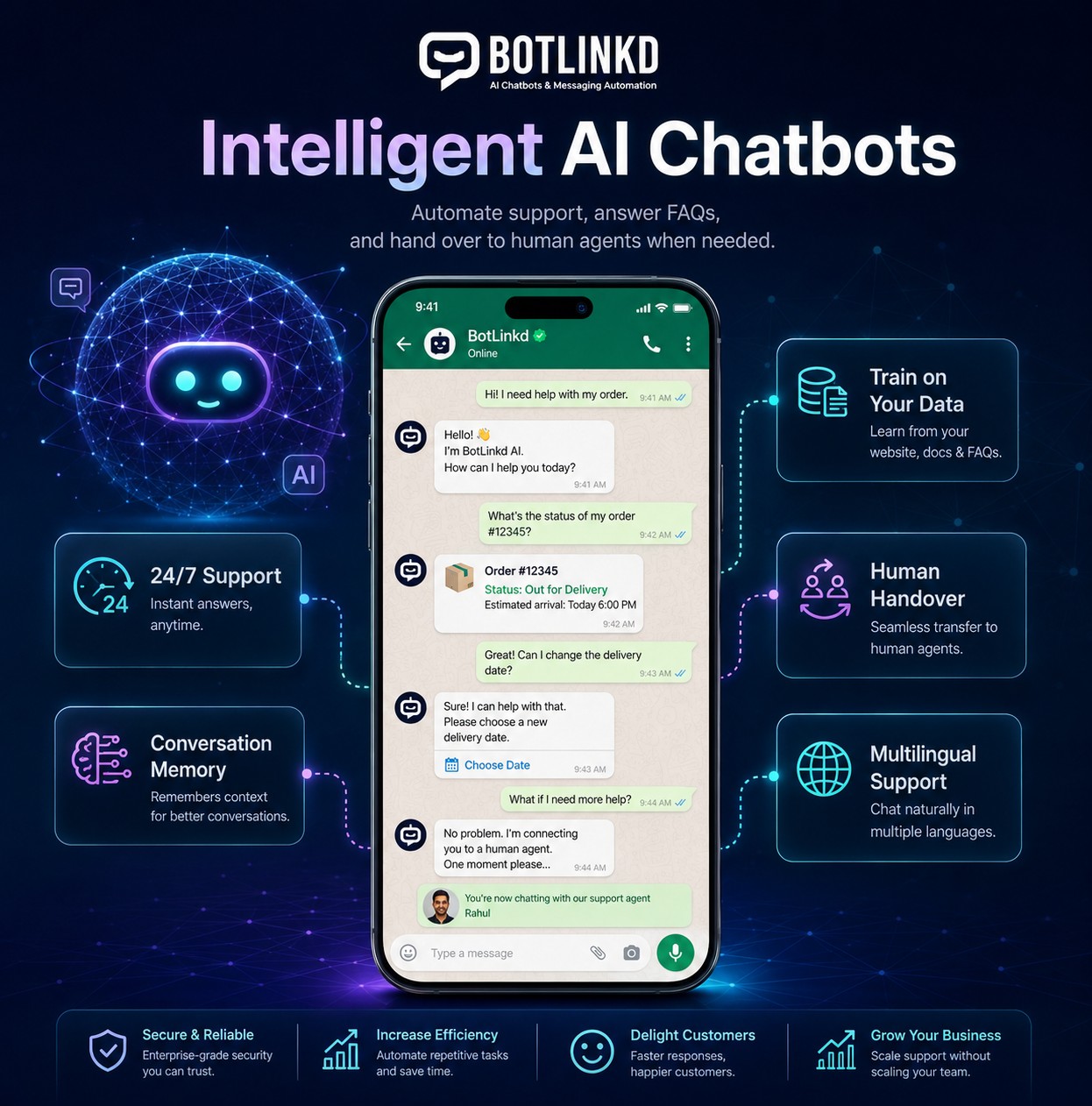
Core AI conversation capabilities
Configure the assistant around your knowledge, workflow and control requirements
AI quality depends on the source information, instructions, connected systems and review process. BotLinkd provides the operating layer required to combine these elements inside a managed WhatsApp conversation.
Context-aware assistance
Conversation memory
Keep relevant context from earlier messages available during the active customer conversation so the assistant can respond with better continuity instead of treating every message as a new request.
- Maintains conversational context within the configured workflow
- Reduces repetitive questions when information is already available
- Supports a smoother transition between AI and human agents
Business-specific knowledge
Answers grounded in your content
Configure the assistant with approved business information such as service details, policies, frequently asked questions, product information and selected documents or website content.
- Use clear instructions to define tone, scope and escalation rules
- Keep important business information readable and maintainable
- Review and update knowledge when policies or products change
Human control
Handover and AI pause controls
Move a conversation to an authorised team member when judgement, empathy or account access is required. AI can be paused for one contact or across the platform when your operating conditions require it.
- Per-contact AI pause for agent-led conversations
- Platform-wide AI pause for operational control
- Full conversation history remains available to the assigned agent
Human-in-the-loop operations
Keep authorised agents in control of every sensitive conversation
AI should not continue automatically when a person needs to investigate an account, approve an exception or manage a complaint. BotLinkd gives your team explicit controls for contact-level intervention and wider operational pauses.
Conversation controls
Customer #BL-2481
Agent online
AI responsesPaused for this contact
Human ownershipAssigned to Support Team
Context available to agent
Previous messages
Customer details
Workflow status
Illustrative control preview
Deployment workflow
Build the operating rules before expanding AI conversations
A reliable implementation starts with scope, knowledge quality and escalation design—not with switching on unrestricted responses.
-
01
Define the assistant’s role
Choose the customer questions, support tasks or qualification steps the assistant should handle and identify the requests that must always go to a person.
-
02
Add approved business knowledge
Provide accurate service information, policies, FAQs, product details and operating instructions that the assistant is permitted to use.
-
03
Set behaviour and safety rules
Define response tone, prohibited topics, fallback wording, escalation triggers, business hours and the conditions that pause AI participation.
-
04
Connect data and workflows
Where appropriate, connect APIs, webhooks, CRM tools or e-commerce systems so verified customer or order information can be used by the configured workflow.
-
05
Test, review and improve
Evaluate real questions, difficult edge cases, handover behaviour and incorrect-answer risks before expanding the assistant to more conversations.
Connected business messaging platform
AI assistance works with the rest of BotLinkd—not as an isolated chatbot
Connect AI-assisted conversations with shared inbox operations, message templates, broadcasts, scheduled messaging, contact management, delivery tracking, analytics, API keys, webhooks and supported CRM or e-commerce integrations.
BotLinkd
AI Conversation Layer
One managed platform for AI, automation and human conversations
Practical business applications
Use AI where it improves clarity, speed and routing—not where human approval is essential
Each workflow should have clear boundaries, verified information and a defined path to a person when the assistant should not continue independently.
Frequently asked questions
Answer common questions about services, policies, delivery, availability or account processes using approved business information.
Lead qualification
Collect structured details, understand the customer’s objective and route suitable opportunities to the relevant sales queue.
Order and account assistance
Use connected systems and defined permissions to support order, appointment or account workflows without inventing unavailable data.
Booking guidance
Explain service options, collect preferences and direct the customer to the correct booking or confirmation workflow.
After-hours first response
Acknowledge incoming questions, provide approved information and capture context for the team when a human agent is unavailable.
Support triage
Identify the customer’s issue, gather useful information and transfer the conversation to the appropriate human agent when needed.
Accuracy, privacy and responsibility
AI configuration does not remove your responsibility to review customer outcomes
The business remains responsible for lawful data use, recipient consent, knowledge accuracy, access permissions, connected-system security, monitoring and human escalation. AI-generated responses can be incomplete or incorrect, so sensitive decisions and uncertain requests should be routed to authorised people.
AI chatbot questions
WhatsApp AI chatbot FAQs
Page-specific answers about conversation memory, business knowledge, multilingual support, integrations, human handover, AI pauses and answer accuracy.
What is an AI chatbot for WhatsApp?
An AI chatbot for WhatsApp is a business messaging assistant that interprets customer messages and generates responses according to configured instructions, approved business knowledge and connected workflows. In BotLinkd, AI assistance works alongside automation, a shared inbox and human agent controls rather than replacing the complete customer-service operation.
Does the BotLinkd AI chatbot remember earlier messages?
BotLinkd supports conversation memory so relevant context from earlier messages can be considered during the configured conversation. Memory behaviour depends on the selected settings, connected AI model and your data-handling configuration.
Can a human agent take over an AI conversation?
Yes. An authorised agent can take over a conversation through the BotLinkd shared inbox. The agent can review the available conversation history, respond directly and keep AI paused while human handling is required.
Can I pause AI for only one customer?
Yes. BotLinkd supports per-contact AI pause so one conversation can remain under human control without disabling AI assistance for every other contact.
Can AI be paused across the whole BotLinkd platform?
Yes. BotLinkd also supports a platform-wide AI pause for operational control, maintenance, policy review or any situation in which your team wants AI responses stopped across active conversations.
Can I train the chatbot with my website, FAQs or documents?
BotLinkd can be configured with selected business knowledge such as website content, FAQs, policies and supported documents. Source quality matters: information should be accurate, current, clearly written and reviewed before it is used in customer conversations.
Can the AI chatbot reply in multiple languages?
Many supported AI models can understand and generate multiple languages. Actual language quality depends on the model, instructions, source content and language involved, so important multilingual workflows should be tested before production use.
Can the chatbot access order, CRM or e-commerce data?
It can use verified data made available through a properly configured integration, API or webhook. Access should be limited to the information and actions required for the workflow, with appropriate authentication, permissions and fallback behaviour.
Will the AI chatbot always provide a correct answer?
No AI system can guarantee every answer will be correct. BotLinkd provides configuration, knowledge and human-control tools, but businesses should define boundaries, test difficult scenarios, monitor conversations and route sensitive or uncertain requests to authorised people.
Can the chatbot operate outside normal business hours?
The assistant can be configured to respond when your human team is unavailable, subject to platform availability, account status, connected services and your own operating rules. After-hours workflows should clearly explain when a human follow-up may occur.
Start with one controlled workflow
Build a WhatsApp AI assistant your team can supervise
Create a BotLinkd account or speak with the team about conversation memory, business knowledge, human handover, AI pause controls, integrations and shared inbox operations for your customer messaging workflow.